 Skribble
Would you like to try signing with the e-signature right away?
Digital signature: Here's how you can sign digitally
9min
·
Published on January 23, 2026


Do you still need pen and paper to sign? That may have been the case once: Today, you can legally sign almost any document with a suitable digital signature. In this article, you will learn how to sign digitally, what points to consider, and how Skribble can support you in the process.
The essentials at a glance
- Definition: A digital signature is an electronically created and stored signature, which is divided into three security levels: simple, advanced, and qualified electronic signature.
- Benefits: Digital signatures reduce costs by up to 90%, enable location-independent work, and accelerate business processes through the immediate availability of signed documents.
- Areas of application: Industries such as insurance, tax consulting, property management, and law firms use digital signatures to increase efficiency in areas like sales, procurement, and human resources.
- Integration: Solutions like Skribble offer the ability to seamlessly integrate digital signatures into existing software systems such as Google Drive, Microsoft SharePoint, or SAP, simplifying the signing process.
What is a digital signature?
A digital signature is a signature that has been created and stored digitally. It is commonly referred to as an electronic signature, which is divided into three different types. The three types differ in their security requirements. The law specifies which digital signature is legally valid for which document.
With Skribble, you can use all three forms of electronic signature. This allows you to sign documents legally at all three levels.
Digital signing with Skribble
You want to sign digitally — and do so completely securely and as simply as possible? We at Skribble offer you the easiest way to your digital signature.
Whether for employment contracts or annual financial statements: with Skribble, you receive a legally valid electronic signature. For large companies as well as individuals!
Here's the translation:
"How you benefit from digital signing"
Whether it's the overflowing trash can or a love for nature: there are many reasons to switch to a digital signature. The most important ones include:
- Reduce costs: Digital signing is up to 90% more cost-effective compared to the paper alternative.
- Work from anywhere: Sign documents in your home office and send them to your business partner in the USA? No problem with digital signatures!
- Work more efficiently: No more tedious printing, just sign with a click in your existing systems. This allows you to provide your customers and business partners with simple, time-saving processes.
- Close quickly: All parties have access to the completed contract within seconds – this accelerates business processes.

The digital signature reduces costs and enables a quick contract conclusion.
Who is the digital signature from Skribble suitable for?
Signing with Skribble is worthwhile for individuals, teams, and entire companies. Especially in the corporate sector, we offer tailored solutions for various needs.
The following industries, for example, rely on e-signature solutions from Skribble:
- Insurances
- Tax advisor
- Property management
- Lawyers
- Mobility
- Technology and industry
- Advertising agencies
- and many more
With the help of digital signatures, productivity gains can be achieved in various areas of the company, such as in sales, procurement, or HR.

Seamlessly integrate into your existing software systems
Digital signing has never been easier: With Skribble, you can sign either in the web app under your personal account or directly in the software system you are using, such as Google Drive, Microsoft SharePoint, or SAP. With a modern interface, Skribble can be easily integrated into your systems.
Learn more about software integration
See here how signing with Skribble works in Microsoft OneDrive:

Digital signature: information and background
Is a scanned signature legally valid? And is a digital signature actually the same as an electronic signature or a virtual signature? The laws and terms surrounding digital signing can sometimes be quite confusing. Below, we explain the key background information and then show you how to sign digitally yourself.
Tip: Do you want to know how to sign digitally right away? Then feel free to jump to the bottom of this post.
Important terms related to digital signing
In the first step, we should clarify what we are actually talking about. There is a lot of confusion surrounding the digital signature. Only by clearly distinguishing between the terms can we understand which form of signature is valid at what time.
The following expressions are often encountered:
- Digital signature: General terminology for signatures that are created, stored, and displayed digitally. This can occur in various ways and may or may not be legally valid depending on the method used.
- Electronic signature: Essentially synonymous with the digital signature: It is a general term for all forms of a signature created or represented electronically. No statements are made regarding its legal validity.
- Electronic signature: This is a legal term, where exactly three standards are defined in EU and Swiss law (simple, advanced, qualified). Depending on the standard, it can be clearly determined whether and for which documents the signature is legally valid.
- Digital signature: This is a technical term. It refers to an encryption method that plays a role in creating secure electronic signatures, but it is also used for other purposes.
- Virtual signature: From time to time, you may hear the term "virtual signature." However, this can be somewhat misleading, as the digital signature is not "purely virtual" but is used for transactions in the real world.
Would you like to try signing with the e-signature right away?
Types of digital signatures
As mentioned earlier, digital signatures can look very different. However, what really matters is the distinction into three groups, based on the three e-signature standards as outlined in the eIDAS Regulation of the EU and the Swiss ZertES law. They are categorized into:
For each of these standards, different requirements must be met. Most importantly, they differ in terms of legal validity.
Simple electronic signature (SES)
For the simple electronic signature (SES), there is only one requirement: it must allow for a conclusion about who its creator is. The level of certainty or indisputability of this conclusion is not legally specified. This means that, for example, a quick signature on the tablet of the delivery person can already qualify as an SES.
Other variants:
- a scanned version of the handwritten signature
- an attached email signature
- a typed signature
It is clear that these forms are not completely tamper-proof. Nevertheless, for all those documents where the law does not prescribe a specific form, the simple electronic signature is legally valid.
Note: National legislation regulates which documents must be signed in what form. For example, in Germany, a specific document may require a written signature, while in Switzerland it may not. Therefore, we kindly ask you to verify the legal requirements in your country for the examples we have provided.
When it comes to the so-called evidential value, the situation is somewhat different: If you want to unequivocally prove who the author of a signature is in a court case, the SES is not very reliable. It has extremely low evidential value and is therefore not suitable for contracts with high liability risks.
Areas of application for the SES
- Documents for which form freedom applies and that carry no or low liability risks.
- Examples: job applications, time records, orders, contracts, supplier quotes, company announcements
Advanced electronic signature (AES)
With the advanced electronic signature (AES), the connection between the signer and the signature can be established with much greater security. This is because certain legal requirements apply in this context.
An AES must ...
...clearly linked to the signer,
... enable the identification of the signer,
... created using means that are under the sole control of the signer (e.g., mobile phone, tablet, or PC) and
... ensure that the document it refers to has not been altered afterwards.
This means: An AES is much more than a simple representation of a handwritten signature. It is about a unique connection of data achieved through the encryption process of the digital signature.
In terms of legal validity, the AES is on the same level as the SES. Here too, it applies: it is legally valid when there is freedom of form for a document.
However, it is significantly more evidential than the SES in the event of a legal dispute. Therefore, it is used depending on a company's risk management, for example, when dealing with contracts that involve moderate liability risks.
Areas of application for the AES
- Documents and contracts that are subject to freedom of form and carry moderate liability risks.
- Examples: purchase agreements, simple employment contracts, account openings
Qualified electronic signature
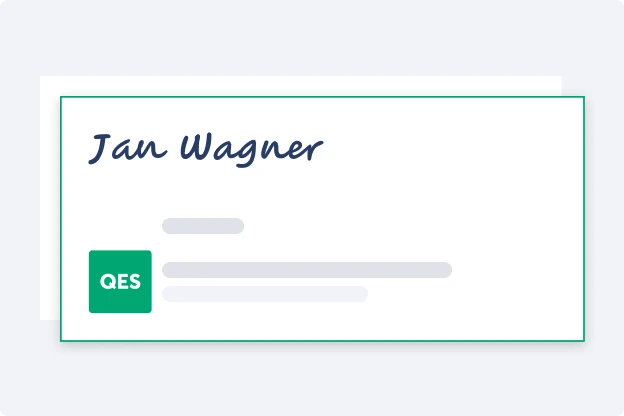
A qualified electronic signature (QES) is the highest level of digital signatures. Legally, it is equivalent to a handwritten signature. This means that a QES is also valid for those documents where the law requires a written form (e.g., fixed-term employment contracts).
Good to know: If one wishes to challenge the authorship of a QES in court, the burden of proof is reversed: The doubter must provide evidence as to why the QES cannot originate from the stated author.
To achieve this high security standard, the QES is also subject to the highest legal requirements. In principle, it is created using the technology of digital signatures, just like the AES. Additionally, a strict identity verification is mandatory, whether in person, via video, or through online banking. This ensures that no one can sign on behalf of another person.
Areas of application for QES
- Documents for which written form is required or where there are high liability risks.
- Examples: fixed-term employment contracts, consumer credit agreements, audit reports
Is a digital signature legally valid?
This depends on the type of digital signature and the type of document. A better question would therefore be: When is which digital signature legally valid? A simple or advanced electronic signature is always legally valid when a document is subject to freedom of form. However, if the law requires written form, only the qualified electronic signature is legally valid.

For a QES, the highest security requirements apply.
How can I sign digitally?
Signing digitally doesn't have to be time-consuming or complicated. However, it does depend on the type of digital signature. Generating a simple electronic signature is a breeze. Creating advanced and qualified electronic signatures involves more requirements. With Skribble, even this can be done in just a few clicks.
SES: Insert digital signature
To create a simple electronic signature, you have numerous options. Here are some suggestions:
- scan handwritten signature
- sign on the tablet
- Attach email signature
Depending on the software (e.g., in Microsoft Word), you can create a signature field directly in the document and insert an image of the digital signature there. Signing via tablet is also generally possible; in Microsoft Word, simply click on the "Draw" menu and sign using the stylus on the touchpad.
Tip: Of course, you can also create a SES with Skribble. We guarantee the highest data security in accordance with GDPR standards and host our service in Switzerland – your data remains in Europe. Another advantage: Skribble also offers AES and QES upon request, making it a solution for all use cases. Additionally, our service can be seamlessly integrated into your software, allowing you to insert the signature digitally there.
Digital signing with the AES
To create an advanced electronic signature, you need a digital signature certificate. You obtain this from an official Certification Authority. Typically, however, you do not contact the Certification Authority directly, but rather a provider of e-signature solutions.
Here's how to proceed:
1. Search for signature service providers
Choose a suitable signature provider that offers certified AES in accordance with EU law (or Swiss law).
2. Registration
Now you need to register with the e-signature provider, usually with an email address and/or a mobile phone number.
3. Digital signing with AES
Now you can sign digitally with an AES. Depending on the provider, you either upload the document and add the digital signature there or sign directly within your existing systems. With Skribble, you can easily integrate the signing function into your software (e.g., Microsoft SharePoint).
Tip: At Skribble, we make the AES particularly secure by verifying the signature using two-factor authentication if desired. While this is not legally required, it significantly enhances the evidential value, which is a great advantage in legal cases.
Digital signing with the QES
For the QES, the highest security requirements apply. You also need a digital certificate here, just like with the AES. Additionally, signers must confirm their identity through an identification procedure.
To create a QES, the following steps are necessary:
1. Search for e-signature providers
You also need to look for a suitable provider for the QES. If you want to create both the AES and the QES, it's best to choose a service that offers both. Ensure that all legal standards (eIDAS regulation for the EU, ZertES for Switzerland) are met.
Tip: Do you need a qualified electronic signature that is valid in both the EU and Switzerland? Then you need to pay close attention and choose a signature provider that covers both jurisdictions. Skribble is, for example, one of the few providers that meets this requirement.
2. Registration
Now you need to register with the chosen provider, usually using your email address and a mobile phone number. The latter is required for two-factor authentication, which is mandatory for the QES.
3. Identification
In a third step, you now need to identify yourself. This can be done in person, via video, or through online banking.
Tip: With most providers, you have to handle identification with a third party yourself. At Skribble, we have seamlessly integrated identification into the signing process - you don't have to worry about any additional providers.
4. Digital signing with QES
Congratulations, you can now sign with the QES. Due to two-factor authentication, you will need to confirm each signature on another device (usually a mobile phone). However, the identification process only takes place once.

Simplify processes with digital signing
It's clear: Digitalization is advancing in all areas of life. It is all the more surprising that even today, long journeys are still undertaken just to sign a piece of paper. With the various forms of digital signatures, this is no longer necessary: documents can be signed completely independently of location. And this is possible – in the case of the qualified electronic signature – even when the document requires a written form.
Frequently asked questions about digital signatures
Certification bodies are responsible for the issuance, storage, and verification of digital certificates, which are required for advanced and qualified electronic signatures. Skribble collaborates with both Swisscom AG and A-Trust in this regard.


